
Let’s be honest. Nothing kills a good movie or binge-watching session faster than pop-up ads, forced promotions, and locked playback features. If you are serious about watching videos on your phone, you need a video player for Android without ads that gives you uninterrupted playback, strong performance, and full control. Here’s the thing. Android already gives you a lot of options, but most of them either push ads, limit features, or drain battery. The good news is that some ad-free Android video players still respect the user.
This guide breaks down the best ad-free video players for Android, how they compare, and what really matters when choosing one.
Why You Should Use an Ad-Free Video Player on Android
Many popular players rely on advertising to make money. That leads to:
- Forced video ads before playback
- Banner ads covering the screen
- Tracking and unnecessary permissions
- Reduced performance and battery life
An ad-free video player gives you:
- Faster video loading
- Better battery efficiency
- Zero distractions
- Improved privacy
If you watch movies, anime, sports, or downloaded videos, an ad-free Android media player makes a massive difference.
What to Look for in the Best Android Video Player
Before choosing a player, here’s what actually matters.
1. Multi-Format Support
Your player should handle MKV, MP4, AVI, FLV, MOV, and WebM without issues.
2. Adaptive Streaming
Players that support DASH and HLS adjust quality based on internet speed. That means smoother streaming.
3. Hardware Acceleration
This uses your phone’s GPU for decoding. You get:
- Better battery life
- Smoother 4K playback
- Fewer frame drops
4. Subtitle Support
Look for support for SRT, SSA, ASS, and embedded subtitles.
5. Playback Speed Control
Perfect for:
- Learning videos
- Podcasts
- Long lectures
6. Picture-in-Picture Mode
Lets you watch while texting or browsing.
7. Background Playback
Essential for music, lectures, and audiobooks.
List of Top 6 Ad-Free Video Players for Android
1. KMPlayer
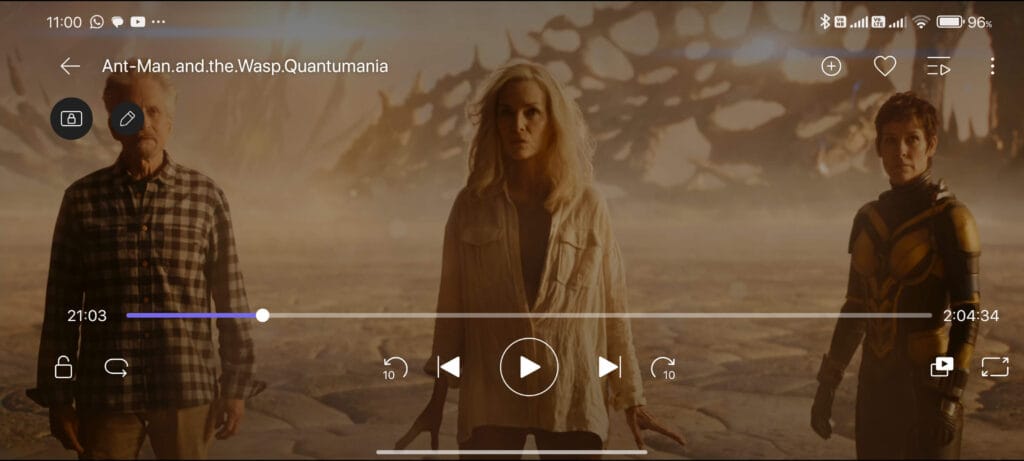
KM Player is a powerful and feature-rich media player for Android that supports nearly every video and audio format. Originally popular on desktop, it has evolved into a full-scale mobile player designed for both casual viewers and advanced users. One of its biggest strengths is format compatibility, allowing it to play MKV, MP4, AVI, FLV, MOV, and many other file types without issues. KM Player also supports network streaming, cloud playback, and Chromecast, making it easy to watch content from different sources. Users can create playlists, adjust brightness and contrast, control playback speed, and use subtitles in multiple languages.
The app also includes advanced tools such as video capture, audio extraction, and even VR and 360-degree video playback. While some premium features require a VIP upgrade, its core video playback remains free and highly capable, making KM Player a strong all-in-one solution for Android users. If you prefer a lighter version of KM Player, there is a version available that excludes unnecessary features. Click here to download the lightweight version.
Why do people choose KMPlayer
- Supports MKV, MP4, AVI, FLV, MOV, 3GP
- Chromecast streaming
- Cloud and network playback
- Playlist creation
Standout features
- Subtitle support
- Playback speed control
- 3D and 360-degree videos
- VR headset compatibility
- Video and audio capture
KMPlayer balances power and flexibility, making it one of the most complete Android video players available.
2. VLC
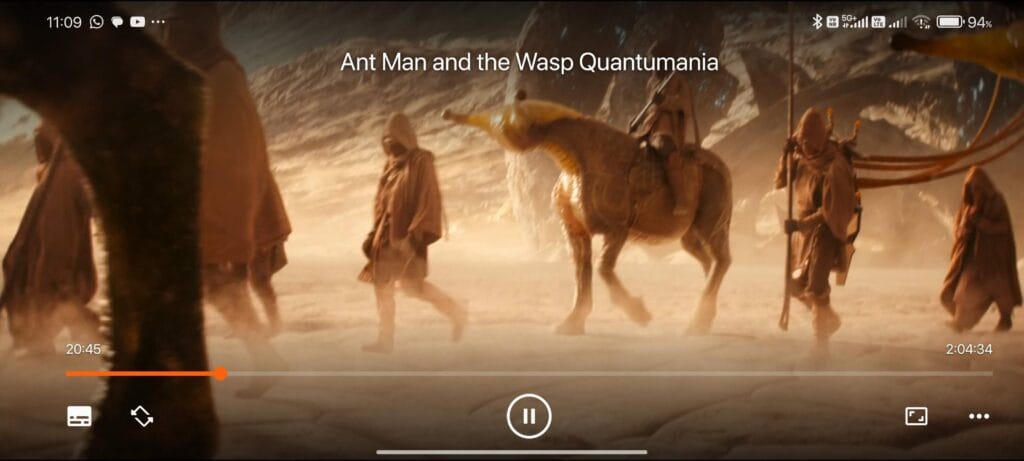
VLC is one of the most trusted and widely used video players for Android, and for good reason. It is completely free, open-source, and ad-free, offering professional-level playback without any distractions. VLC supports almost every video and audio format, including MKV, MP4, H.264, H.265, AVI, FLAC, and more. Whether you are watching local files or streaming from a home server, VLC handles it with ease. It also supports network streaming protocols such as HTTP, RTP, and RTSP, making it perfect for watching media from PCs, NAS drives, or online streams. VLC includes powerful tools like subtitle synchronization, playback speed control, audio equalizer, and frame-by-frame viewing. It also works well with Android TV and supports background playback. If you want a reliable, no-nonsense media player that plays everything, VLC remains one of the best choices available.
Why VLC still dominates
- Completely ad-free
- Open-source
- Supports nearly all codecs
- Streams over local networks
Key VLC features
- H.264, H.265, VP9, AV1 support
- Subtitle synchronization
- Frame-by-frame playback
- Built-in equalizer
- Android TV mode
VLC remains one of the most reliable Android media players ever created.
3. Next Player
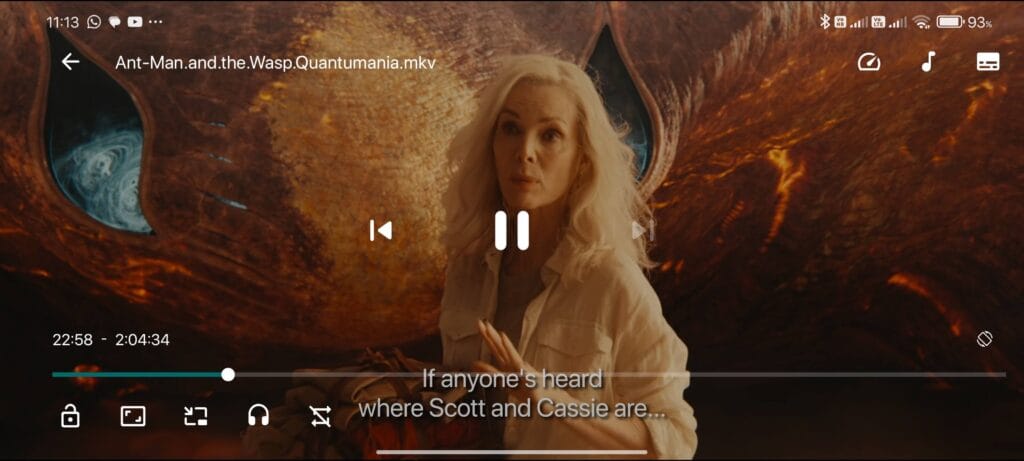
Next Player is a modern, lightweight Android video player built for people who want clean, distraction-free playback. Unlike many apps that clutter the screen with ads and unnecessary features, Next Player focuses on speed, stability, and visual simplicity. It is powered by Android’s ExoPlayer, which means it uses hardware decoding to deliver smooth playback even for high-resolution videos. The interface follows Material 3 design, giving it a polished and minimal look that feels natural on newer Android devices.
Gesture controls make it easy to adjust brightness, volume, and seek through videos without touching buttons. You also get essential features like subtitle selection, audio track switching, playback speed control, and picture-in-picture mode. Because it is open source and ad-free, it does not track users or push promotions. If you mostly watch videos stored on your phone or shared through links, Next Player offers one of the cleanest and most efficient viewing experiences available on Android today.
Why Next Player stands out
- Open-source video player
- No ads
- Material 3 user interface
- Hardware-accelerated playback
- Remembers aspect-ratio
Core features
- Gesture controls for volume, brightness, and seeking
- Playback speed control
- Picture-in-Picture mode
- Subtitle and audio track switching
- Local and URL video playback
If you want a lightweight Android video player that just works, Next Player is one of the best options right now.
4. Arc Video Player
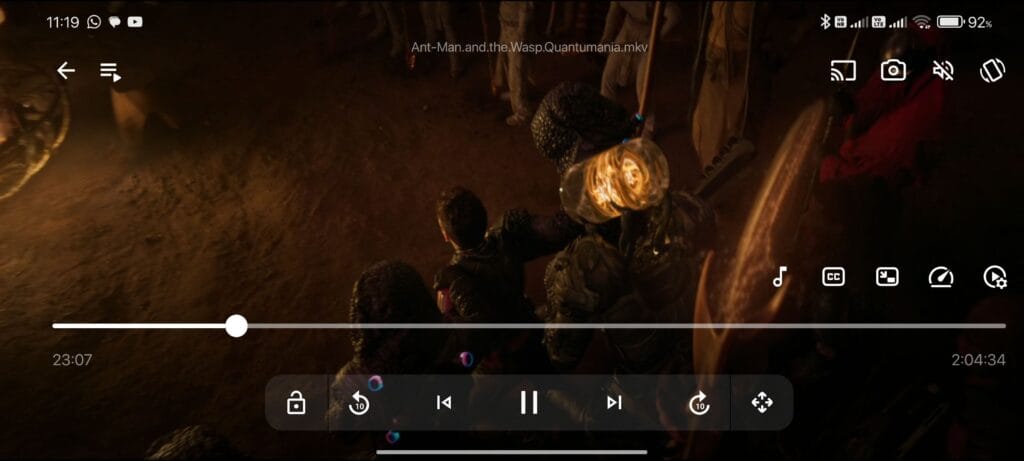
Arc Video Player (Video Player All Format) is a free, ad-free Android video player built to handle virtually any video file you throw at it with smooth, high-quality playback. It stands out for supporting all major video formats, including MKV, MP4, AVI, FLV, MOV, TS and more, so you don’t have to worry about format compatibility or converting files before watching. The player delivers 4K, Full HD, and Ultra HD playback without stutter, thanks to hardware acceleration, making it a strong choice for modern phones and tablets. It also includes handy features like gesture controls for brightness and volume, subtitle downloading and customization, and playback speed adjustment to match how you like to watch content.
You can use floating/pop-up window mode to multitask while watching videos, and background play lets you listen to video audio like a music app. There’s even a private folder to hide personal videos and a simple playlist manager for organizing your files. Arc Video Player combines powerful playback, wide format support, and an easy-to-use interface for a clean mobile viewing experience.
What Arc does best
- Wide format support, including MKV, MP4, AVI, FLV, MOV, and TS
- Ultra HD and 4K playback
- Hardware acceleration for smoother performance
- Subtitle support with size, color, and sync controls
- Playback speed control
- Gesture controls for brightness, volume, and seeking
- Floating window (picture-in-picture) mode
- Background playback
- Private folder to hide personal videos
- Playlist and file manager for easy organization
5. Kodi: The Full Media Center

Kodi is not just a video player. It is a complete media center platform that transforms your Android device into a powerful home entertainment hub. Kodi allows users to organize and play movies, TV shows, music, and photos from local storage or network sources. It automatically builds a media library with artwork, descriptions, and episode details, giving it a Netflix-style look for personal content. One of Kodi’s biggest strengths is its support for third-party add-ons, which allow users to stream content, watch IPTV, view weather, or connect to online services. Kodi also supports skins, letting users fully customize the interface. It runs on Android phones, tablets, TVs, and many other platforms. While it requires more setup than standard video players, Kodi offers unmatched flexibility and is perfect for users who want full control over their media experience.
Why Kodi is powerful
- Open-source
- Highly customizable
- Works on TVs, phones, and tablets
- Supports third-party add-ons
- Supports themes that can completely change the look of Kodi
- Can support a wide variety of video formats
What you can do
- Organize movies and TV shows
- Stream over local networks
- Install IPTV, YouTube, and more
- Use skins and themes
- Can download subtitles with add-ons
Kodi is perfect if you want a media center on Android instead of just a basic player.
6. OPlayer Lite
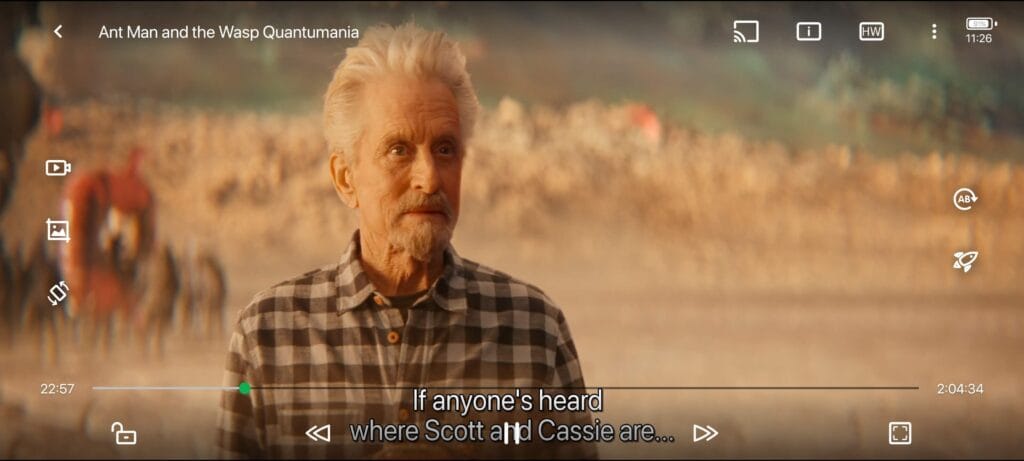
OPlayer Lite is a high-performance Android video player designed for smooth playback of HD, Full HD, and 4K videos. It uses hardware acceleration to handle large files efficiently while keeping battery usage low. OPlayer Lite supports a wide range of formats, including MKV, MP4, AVI, MOV, FLAC, and MP3, making it suitable for both video and audio playback. It also includes gesture controls for volume, brightness, and seeking, along with playback speed adjustment and subtitle customization. One of its most useful features is picture-in-picture mode, which lets you continue watching while using other apps. It also supports network streaming and Chromecast, so you can send videos to your TV. With its built-in file manager and secure screen lock, OPlayer Lite is a great choice for users who want reliable, high-quality video playback on Android.
What makes it great
- Hardware acceleration
- 4K and HD playback
- Network streaming
- Floating window mode
Features
- Subtitle customization
- Playback speed control
- Chromecast support
- File manager
- Screen lock to prevent touches
OPlayer Lite is ideal for users who need a high-performance Android video player.
A small comparison between these ad-free video players for Android
Feature / Factor | Next Player | KMPlayer | VLC | Arc Video Player | Kodi | OPlayer Lite |
Speed | Fast and smooth | Good but slightly heavier | Moderatly fast | Fast | Slow | Fast for local playback |
Resource Usage | Lightweight | Lightweight | Efficient | Light to moderate | High | Moderate |
Battery Consumption | Moderate | Low | Low | Moderate to High | High | Efficient |
Format Support | Strong | Very broad | Excellent | Plays almost all formats | Excellent | Excellent |
UI/UX | Clean and intuitive | Busy | Simple | Simple and fast | Highly customizable | Basic but usable |
Subtitle Support | Yes | Excellent | Excellent | Good | Excellent | Good |
Streaming Capability | Basic URL streaming | Strong (cloud/online) | Network & local streams | Limited (mainly local files) | Very strong | Basic |
Additional Features | Playback essentials | Captures, effects | Equalizer, sync | Floating window, private folder | Add-ons, library | Floating window |
Final Verdict
If you are tired of ads, locked features, and slow playback, switching to a premium-quality ad-free Android video player is one of the best upgrades you can make.
What this really means is simple.
Your phone is already powerful. You just need the right video player app to unlock it.
Pick one of the players above and enjoy:
- No ads
- No interruptions
- No compromises
If you want the cleanest experience, start with KM Player or VLC. You want IPTV or streaming, go with Arc. If you want a full media hub, Kodi has no equal.
Once you use a true ad-free Android media player, you will never go back.


Comments
Loading…